PixelBoy Game
Technologies
PixelBoy game is a personal project used to facilitate the requirements for building a game engine. Which might seem backwards to some, but is very much not. Making generic game engines is extremely hard and requires team sizes comparable to those of Godot or Unity. Making a game engine for one specific game is a lot more manageable. In addition, it prevents me from building features which are not useful for the game I am building and allows me to take a lot of shortcuts.
The goal of the project is for me to learn how to create game engines, practice my C/C++ skill set and to learn about rendering, physics, game engine architecture and software audio mixing. Secondary goals include learning how to profile, creating an asset pipeline and building executables for multiple platforms. My pie in the sky goals are to publish the game on Steam with support for achievements and local multiplayer and to release the game on the Nintendo Switch (or its successor).
The Game
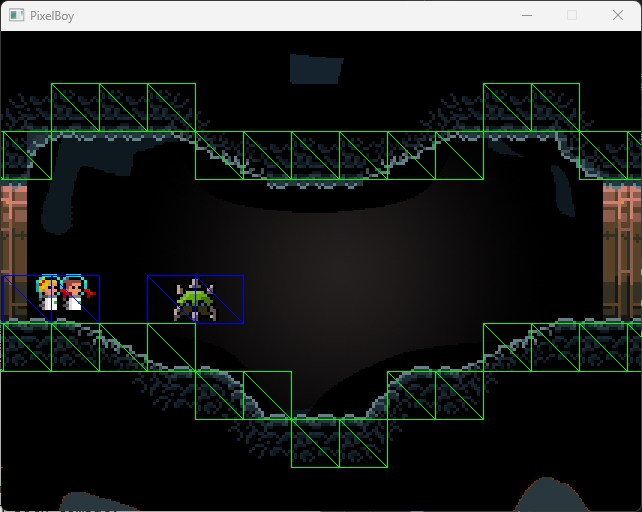
The game I am building with the engine is a two player co-op metroid style game (a 2D platformer with an open world and item based progression) where the players need to work together in both combat, exploration and light puzzle solving to progress. The unique mechanic is that health and bullet ammo are a shared resource; which can be replenished by shooting each other. The energy lost by shooting is lower than the energy gained by being shot by your co-op buddy. With this mechanic I will design boss encounters where players will need to balance shooting the enemy and shooting each other.
Used Existing Technology
The game engine is not fully made from scratch as some libraries are used from well established vendors. On of which is SDL (simple direct media layer), which is used for getting the platform specific message loop used for input, the window or draw surface getting and initialization of OpenGL or the software renderer. Its PNG library is also used.
During the development of the game I've gone through 3 different custom collision detection and resolution systems which all ended up with flaws which were difficult to mitigate and to solve. Since writing custom physics is not in the scope of the project and not part of its goals, I've decided to use Box2D to handle physics for me.
For level design I use an external tool called Tiled. It exports its level data to a JSON representation. Parsing the level data is also not a learning goal at this point, so for now I've decided to use cute_tiled.h as the JSON parser to get at the data in the file. Writing a custom parser for the file format wouldn't be too hard, but it would take away time best spend on the other parts of the engine.
Architecture
The game is split into two compilation units. The platform layer and the game layer. The game layer is compiled as a dynamically loaded library (.so / .dll / .dylib) and the platform layer is compiled as an executable. The application layer allocates memory, handles file I/O, gets the drawing surface, interfaces with the available graphics APIs, maintains the update loop and handles input. It sends this data through to the game layer is called by the platform layer in three places:
- 'LoadContent' which loads the content at the start of the application.
- 'GameInitialize' which initializes all game related initial variables and structures.
- And 'GameUpdate', which is called every game tick update to update the game state.
These functions pointers are grabbed from the game library by name on startup and are called by the platform layer.
#ifdef USE_DYNAMIC_LIBRARY#ifdef PIXELBOY_MACOS// NOTE: dylib libraryinclude <unistd.h>include <dlfcn.h>#elif defined(PIXELBOY_WINDOWS)include <Windows.h>#endif // PIXELBOY_MACOS#elseinclude "pixelboy_game.cpp"#endif // USE_DYNAMIC_LIBRARY
#ifdef USE_DYNAMIC_LIBRARY GameLibraryHandle game_library_handle = {}; int result = LoadDynamicLibrary(game_library_handle); if (result 0) { return result; } int64 last_library_write_time; GetLibraryWriteTime(last_library_write_time);#else game_load_content = LoadContent; game_initialize = GameInitialize; game_update = GameUpdate;#endif // USE_DYNAMIC_LIBRARY
#if defined(DEBUG) // NOTE: Check for library update int64 new_last_library_write_time; GetLibraryWriteTime(new_last_library_write_time); if (new_last_library_write_time last_library_write_time) { new_last_library_write_time = last_library_write_time; UnloadDynamicLibrary(game_library_handle); LoadDynamicLibrary(game_library_handle); }#endif
#if defined(PIXELBOY_MACOS)#define DLL_OPEN(library_path) dlopen(library_path, RTLD_LOCAL)#define DLL_GET_FUNCTION_PTR(handle, path) dlsym(handle, path)#elif defined(PIXELBOY_WINDOWS)#define DLL_OPEN(library_path) LoadLibraryA(library_path)#define DLL_GET_FUNCTION_PTR(handle, path) GetProcAddress(handle, path)#endifconst wchar_t* GetErrorString() { const wchar_t* error;#if defined(PIXELBOY_MACOS) error = dlerror();#elif defined(PIXELBOY_WINDOWS) DWORD last_error_code = GetLastError(); FormatMessage( FORMAT_MESSAGE_FROM_SYSTEM | FORMAT_MESSAGE_IGNORE_INSERTS | FORMAT_MESSAGE_ARGUMENT_ARRAY | FORMAT_MESSAGE_ALLOCATE_BUFFER, NULL, last_error_code, 0, (LPWSTR)error, 0, NULL);#else // TODO: Add implementation for unhandled platform! assert(false);#endif return error;}int LoadDynamicLibrary(GameLibraryHandle* game_library_handle) { // Load library game_library_handle->handle = DLL_OPEN(library_path); if (!game_library_handle || !game_library_handle->handle) { const wchar_t* error = GetErrorString(); printf("[Platform] Could not load game library from '%s'!\n%ls\n", library_path, error); return -1; } game_load_content = (Game_LoadContent*)DLL_GET_FUNCTION_PTR(game_library_handle->handle, "LoadContent"); if (!game_load_content) { const wchar_t* error = GetErrorString(); printf("[Platform] Could not load '%s' from game library!\n%ls\n", "LoadContent", error); } game_initialize = (Game_GameInitialize*)DLL_GET_FUNCTION_PTR(game_library_handle->handle, "GameInitialize"); if (!game_initialize) { const wchar_t* error = GetErrorString(); printf("[Platform] Could not load '%s' from game library!\n%ls\n", "GameInitialize", error); } game_update = (Game_GameUpdate*)DLL_GET_FUNCTION_PTR(game_library_handle->handle, "GameUpdate"); if (!game_update) { const wchar_t* error = GetErrorString(); printf("[Platform] Could not load '%s' from game library!\n%ls\n", "GameUpdate", error); } if (!game_load_content || !game_initialize || !game_update) { return -1; } return 0;}
The game layer receives from the platform layer: a command buffer for pushing render commands to (inspired by both Casey Muratori and Unity's command buffer constructs); the input state for this frame; draw buffer dimensions; function pointers for loading files; and push buffers to allocate memory from.
typedef struct PlatformLayer { uint32 screen_width; uint32 screen_height; InputState* input_state; // NOTE: Function pointer TextFile (*ReadEntireFile)(const char* file_name); void (*RenderCommandBuffer)(PushBuffer* command_buffer, struct Camera camera, bool clear_command_buffer); struct Texture2D (*LoadTextureAt)(const char* file_path); struct RenderTexture (*CreateRenderTexture)(uint32 width, uint32 height); void (*RenderTilemapToRenderTexture)(struct RenderTexture* render_texture, struct Tilemap tile_map); PushBuffer permanent_storage; // NOTE: Transient storage is cleared at the start of every frame! Only store data which is needed on a per frame basis. PushBuffer transient_storage;} PlatformLayer;
EXPORT void LoadContent(PlatformLayer* platform_layer) { // ...}EXPORT void GameInitialize(PlatformLayer* platform_layer) { // ...}EXPORT void GameUpdate(PlatformLayer* platform_layer, float delta_time_seconds) { // ...}
The reason is that, in this way, I can re-compile the game layer library while the executable is running and swap the libraries once the compile has finished. Which kind-of enables live programming. This works since the memory allocated by the platform layer doesn't get deallocated by the operating system and its pointers are send to the game layer.
Many ideas such as the push buffer and input sending and dual layer design are directly inspired from what Casey Muratori is doing with Handmade Hero.