Sanity of Morris
Technologies
Platforms
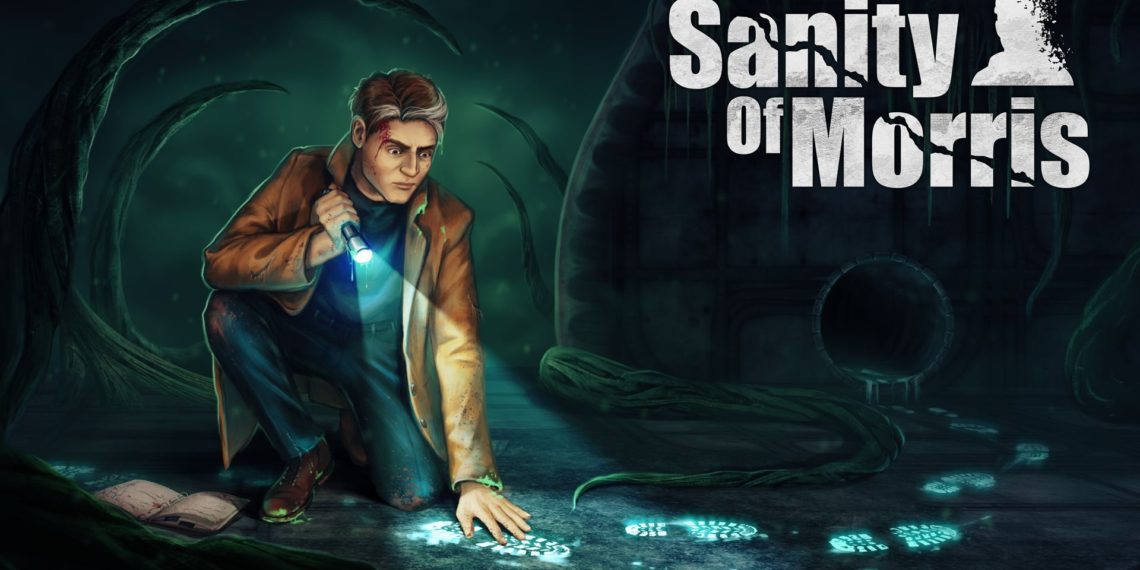
Sanity of Morris is a first person action adventure thriller created by Alterego Games and published by StickyLock Studios. The game features a son of a detective trying to figure out what has happened to his old dad. The player collects clues, solves puzzles, explores alien world and uncovers a thrilling government coverup... Or does he?
My Role
This time I was involved with the project after the first vertical slice and prototype. My role thus was much more involved. I got to prototype gameplay mechanics, design shaders to visualize the main characters insanity and work on tools for cinamatics, trigger systems and audio.
In addison to this I also got to design the application architecture for the game. This includes the flow from startup to in-game. How scenes would be loaded. Programming transitions and how to handle saving and save points. This was extremely nice as it allowed me to design with the foresight and to architect based on the learned lessons from porting Woven.
At the end of the project I was once again responsible for the save system, achievements, user management, controller support, certification, performance optimization and debugging the non-windows platforms.
Gameplay Systems & Tools
Cinematic Tools
As the game was going to rely on a whole bunch of cinematics to tell the story of the game and to provide variety with walking around and clue finding, tools were required to quickly place and author cinematics.
I build a system on top of Cinemachine and the Timeline. Both tools provided by Unity via their package manager.
Cinemachine is a tool for dynamically switching between multiple virtual cameras and perspectives. It also has tools for creating tracking cameras which follow a virtual camera rail.
Timeline is a tool like that of a video editing program where you have multiple tracks which can denote something playing over time. Like audio, an animation or a camera perspective.
The tool uses the two packages to create a seamless experience of placing a cinematic in a scene and allowing quick authoring of the cinematic. The tool fixes all of the references and sets up triggers for the player to trigger the cinematic and adds events to be used by other game systems for when cinematics have been entered or finished.
The tool had three major revisions during the project. At first multiple types of cinematics were created to spec by the wishes of the production team. In collaboration with them it became clear after a quick prototype that the complexity of having multiple types of cinematics was undesired and complicated the workflow. This also came with a feature requires to be able to string together multiple cinematics and to have cinematics be able to save their 'played/completed' status in the save system and have them be disabled when a save file would load with the played flag already set.
The third iteration of the tool was mostly to get the tool to behave just as if it had always been present in Unity instead of developed internally. The designers at Alterego Games values that a lot to have tools feel native to Unity. This makes sure that the interaction language used by the tool mirrors that of the rest of the editors tools. Making the interaction seamless.
This posed a bunch of interesting challenges like getting custom handles to work. Making sure systems were registered at editor time and survive runtime. Having globally unique identifiers that persist when building an transitioning scenes. Managing player input state and finally hooking it up to the localization system I had also build for the project.
In the end the tool was used often and tiny additions were made throughout the project to improve the usability of the tool. Right now the tool is still used in future projects as part of the AEG Tools Framework.
Trigger System
Unity's collision system, like many other, has an issue with detecting collisions when colliders fully overlap and are spawned within each other. This makes sense, since at no point the two colliders 'enter' each other at the boundaries. However, this is annoying to programmers and technical game designers as it visually doesn't make sense. Woven had created a custom generalized solution for fixing this issue but it didn't perform well.
The core of the performance issue was due to using additional overlap sphere checks and physics simulation constructs to check for spawn overlap. I was tasked to iterate on the system.
I started by taking inventory of what the goals of the tool were and I quickly identified that there would really only be one triggerer and many triggers. This already reduces the problem to a 1 x n problem instead of an n x n problem. With this knowledge I could easily build a system with much less complexity than using Unity's collision system. In addition to this, the shapes required for testing against could be constraint to boxes and spheres, making the problem much simpler still.
The entire problem could be reduced to a sphere-sphere intersection test in addition to a sphere cube intersection test depending on the shape of the trigger.
To increase performance I used a tight loop and can time slice the array an spread them over a couple of frames if desired. The entire system works like that of Unity and the system doesn't require an additional system 'manager' component to be present in the scene as the triggerer does the updating. Of which there can only be one in the scene at any time.
After these two steps the trigger systems impact on the framerate is negligible, even with hundreds of triggers in the scene. So, no further time was needed to increase performance. However, implementing a build-time quad tree or a binary space partition could be easily implemented to increase performance even further. Later on in Alterego's third game I made the system thread safe and compatible with Unity's Burst compiler.
Audio System
There are two major short comings of Unity's audio system implementation. The first is that it doesn't handle audio source count restrictions on consoles very well nor does it handle the loading and unloading of audio data in a particularly smart way. In addition to that, Unity doesn't unload or stop the playback of audio sources based on distance. It was my job to fix these issues.
The first was easy to solve. I assigned a priority value to every audio source and wrapped all audio calls in the codebase to direct to my audio manager. All call sites now required a priority to be given to the audio source where sources would be disabled based on their importance. Narration first, then cinematic audio, then gameplay related audio feedback, then music and finally atmospheric sound.
The system keeps track of all audio being played and dynamically turns on and off audio sources based on the amount of audio sources supported by the hardware. The system also checks distances and disables and unloads audio from memory when no longer required. With the exception of small audio effect which play frequently.
The audio system also handles volume mixing between different nested layers. Both adhering to the developer's mixing intent and the player's settings set in the settings menu.
To increase productivity of the development team and to keep an eye on memory usage by audio files I created a custom asset importer in Unity to automatically set audio source file compression and playback parameters such as pre-load, stream and load/unload based on the length and use of the audio file. Where one-shot audio sources such as sparks were set as PWM as they load fast, with little delay and don't require a lot of memory. And music and narration are set to be streamed in from disk to reduce their memory footprint. This tool helped to save a lot of time when adding all of the localized audio files and prevent setting the same settings on tons of audio files by hand.
Vision Cone System
...
Shader Programming
Insanity Effect
Around this time I was learning in my off-time how to program shaders. This minimal amount of knowledge and understanding allowed me to program some simple effects. The goal was to make a visually interesting shader which communicates the sanity or insanity of the main character. At that time in development the designers were still considering a mechanic where the sanity of the player acted like something of a health bar.
I first experimented with a sort of flocking system where dark spots floating around in the environment would be sucked into the field of view and progressively obstruct the edges of the screen with a simple ramp. However, this did not have the desired result and looked too dark and blob like.
My next attempts were to use a simple vignette multiplied with screen space distortion and some transparent noise textures on the edges of the screen. These textures scroll with the rotation of the camera relative to world space to fake the look of a volumetric fog. This already looked loads better but it still lacked some interesting visual flair.
The next idea that I had was to have the shadows wobble in a sinus like fashion. First I attempted to get the shadows rendered into a separate texture and then sample these shadows in the sanity post-processing effect but this turned out to be very hard in Unity. And rendering the shadows twice would not be an option due to the already expensive nature of realtime shadows.
What I ended up doing was to take the screen buffer and ramp all the values close to black to black and the rest to white. Increasing the contrast greatly and roughly giving me all the shadows due to the already dark aesthetic of the game. With this ramped texture I could offset sample the shadows and re-mix the sampled ramped texture with the screen output buffer which made all of the darker areas wobble. This gave a very surreal look which was what we were going for.

Outline Effect
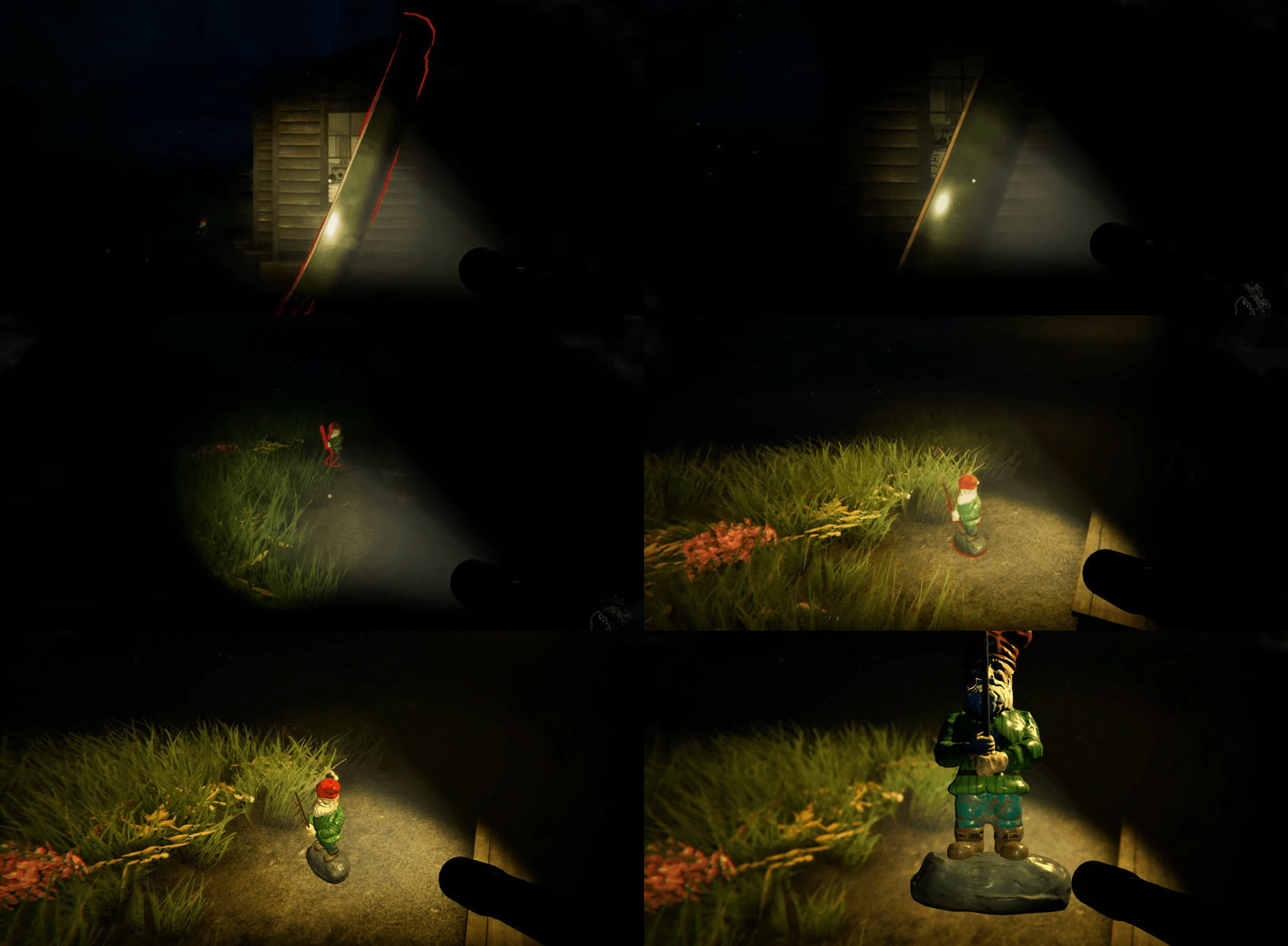
Read more about the outline effect on a separate blog post here.
That one Graphics Bug
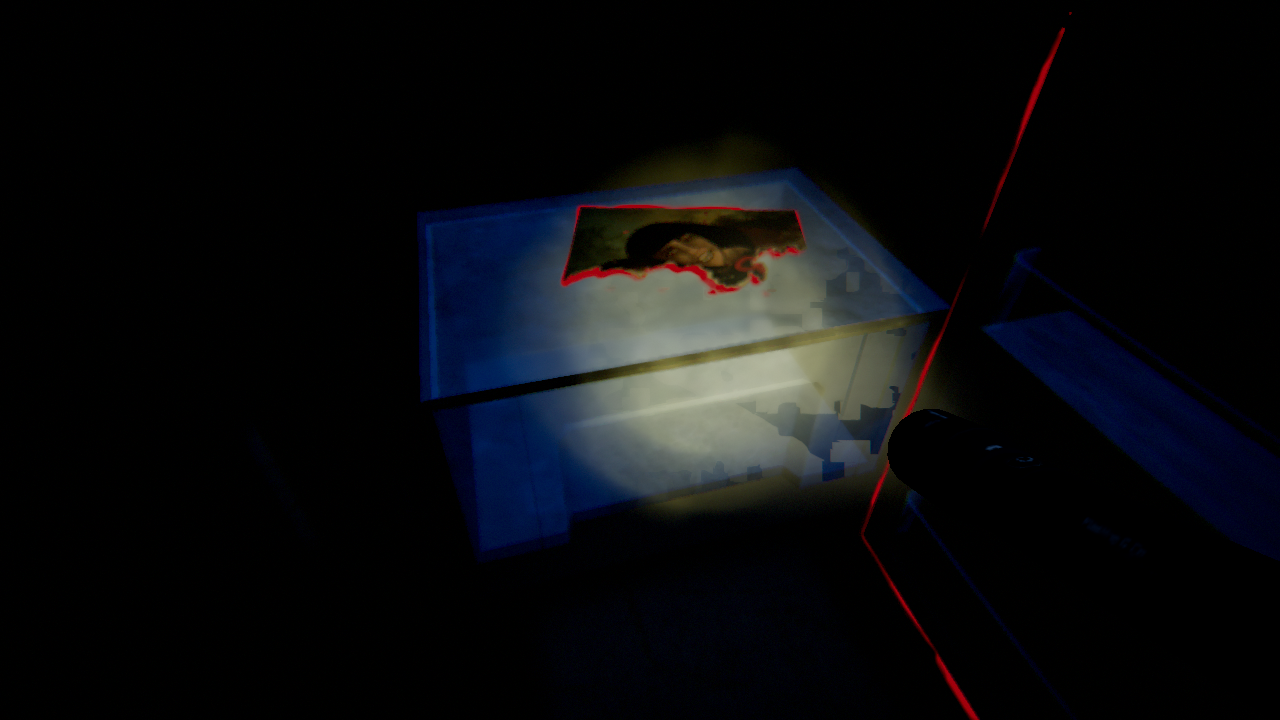
In Sanity of Morris we used a plugin from another company to achieve volumetric lights. This effect was essential to achieve the desired aesthetic. However, there was a problem, the plugin did not officially support the consoles and there was this one graphics bug which only occurred on the PlayStation 4. With the original creators out of business there was no hope for support from their side.
The bug displayed as a bunch of structured blocks of noise displayed on only the transparent surfaces. The weird thing was that this effect only showed up in transparent surfaces. This prompted me to delve deeper into how the effect works. The main clue was that for transparent objects, a modified Unity standard shader had to be used for all translucent objects.
What the effect roughly does is calculate the volumetrics based on the depth buffer in deferred rendering, however this doesn't work for translucent objects as they are rendered forward and don't write to the depth buffer. They write all light shaft information to a set of GBuffer-like textures and mix these when they render translucent objects.
After learning a bit on how the effect was achieved I proceeded to use the frame debugger to see what caused the effect. Using the pixel lifetime feature where you can trace where each pixel on screen is touched by what shader, I figured out quickly that there were some strange patterns appearing in the transparency buffer output from the main calculation.
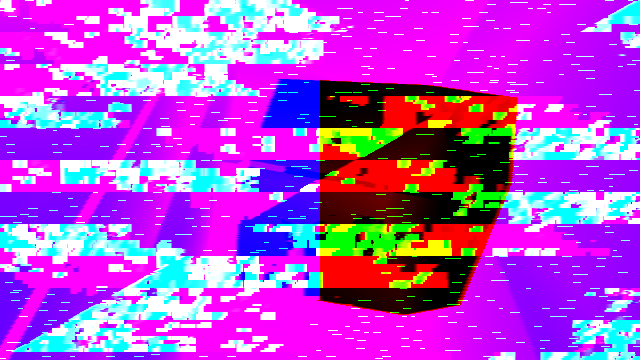
At first I thought that the glitches might have been caused by using the wrong depth or pixel color format for one of the buffers. Since that was the only thing that had gone wrong earlier when programming the outline effect so I changed some formats for the offscreen buffers to no effect. I could at least stripe that off the list of possible issues. Then I thought it might have had something to do with floating point errors so I increased all the variables in the shader that used half with full length floats. Which also didn't solve the issue.
In the mean time I had kind of figured out that this issue might be way out of my league of solving. So I simultaneously posted the error on both the Unity and SIEDEV forums to see if there would be someone willing to help. At first no one showed up and the issues which seemed similar all had found solutions which had either no effect on this bug or used totally different techniques.
Right at the time we'd given up and decided to not use translucent materials in the PlayStation 4 version of the game (which would have been a shame), someone on the Unity forums totally unrelated to the original Hx Volumetric Lighting team came in at just the right time. This issue was not initializing some shader variables causing them to contain random data based on what was there previously in memory. This totally made sense in hindsight and initializing these variables totally fixed the problem.
Link to the legendary forum post
Lessons Learned
During this project I gained a ton of experience developing tools. I learned that easy simple to understand tools with a native feel are usually better than writing generalized powerful tools based on the users at Altergo Games. Since features are often not used and tend to get in the way of the user. I also learned to communicate, observer and reflect on tool prototypes and how to filter feedback in order to improve existing and prototypes of tools.
I also got a lot more familiar with graphics debugging tools provided by the console manufacturers and how to read shader based effects and other graphics effects. I also learned that uninitialized variables in shaders can cause wildly different behaviour based on the platform. In addition tot that I have learned to ask for help early and approach the problem from multiple angles.
My understanding of shader based effects and experience writing my own shaders has also greatly increased during the development of the game.
Reflection
It was really nice to work on the release of a second game so quickly after Woven. I was able to see the progress I'd made in a year very clearly. Sanity of Morris got through CERT the first time which was a huge achievement for me and the team. The whole CERT process started to bore as well, which I think attests to my familiarity and understanding.
This is also the project where I discovered my love for writing tools. The whole design, distribute, observer and reflect development cycle is very tight which helps with my developer satisfaction. I also think that this project had a nice balance between challenge and comfort. With maybe the Hx Volumetric Light bug stretching me a bit thin in the end where it was mostly frustration with my own inexperience and a lack of available seniority at the company.
They once again gave me a lot of trust and freedom during the project. Which was really awesome of them. I got to design the application architecture, which I had never done up to this point. Design the saving strategy and allowed me to take time to develop all these tools and had enough freedom at the end to do CPU performance profile analysis and execute fixes by myself.
Among the good there were also some growing pains. We had a lot of issues with the screen fading tool where it was unclear which system used what fader to achieve the fading effect and had a lot of instances where we played whack-a-mole. This I am not proud of and took it upon myself to fix this and rethink and redesign the fader system for the next game.
The final thing I realised is that I don't really need to love the project I'm working on to be happy. As long as there are tools or systems I can work on that excite me I can be happy to contribute to someone else's vision. Even if they also don't love the vision that they're working on.